CONSTRUCTION PLANNING SOFTWARE
Pull planning has gone digital. Meet Nialli.
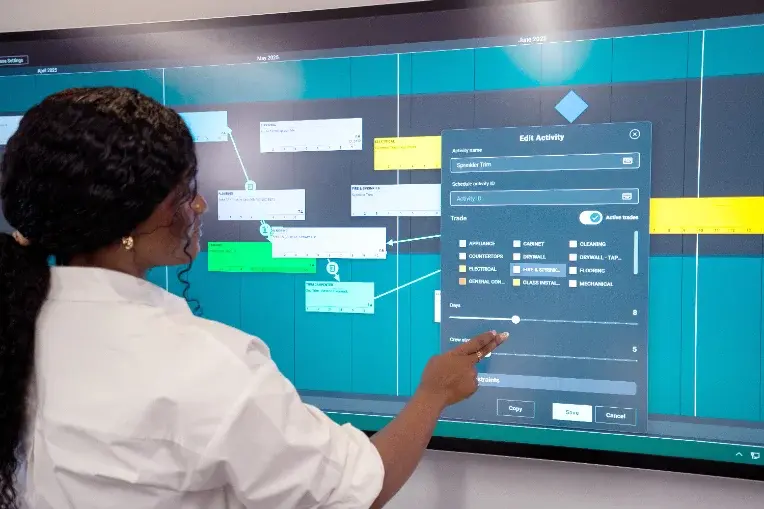
See the big picture with Nialli™ Visual Planner. Built on the Last Planner System®, Visual Planner provides managers and jobsite teams with visual, interactive construction planning software that keeps projects on track from the site trailer to the head office.
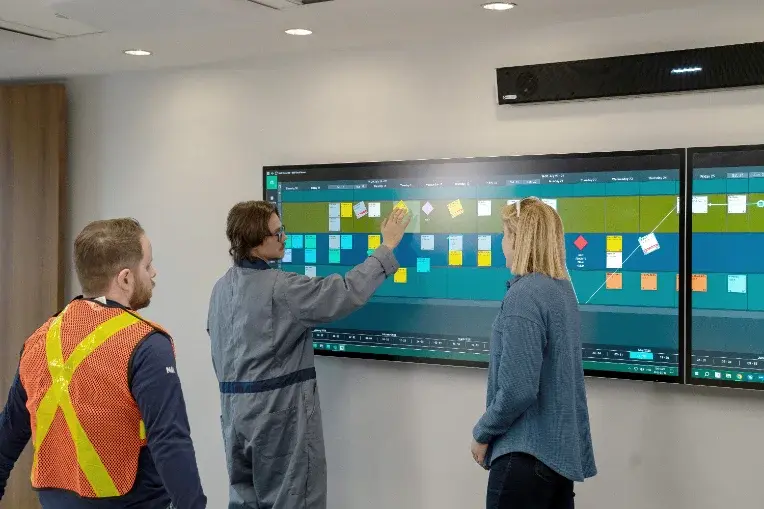
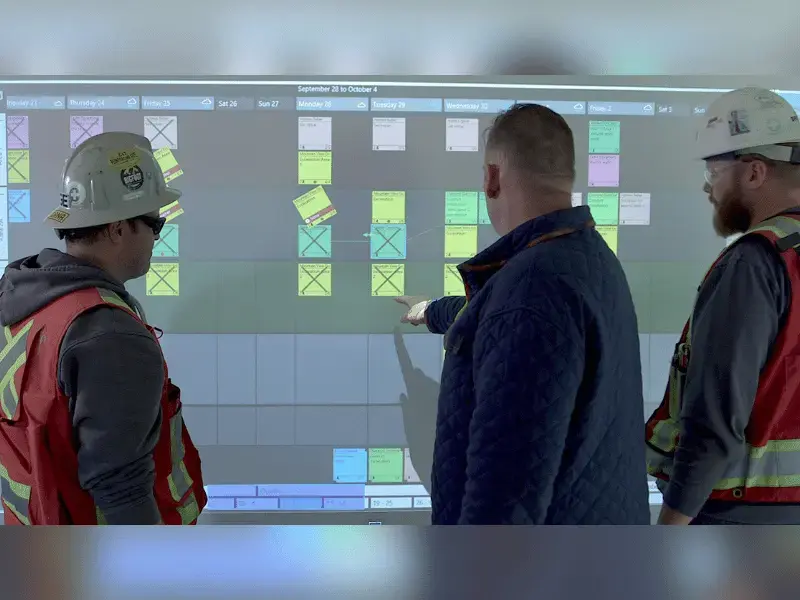
People get out of their chairs. They gather around the board. It encourages conversations rather than hiding behind laptops. Issues can now be spotted much earlier in the construction process, where they can be proactively discussed and corrected rather than wasting time, effort and money retroactively resolving them as they occur.
Make project planning easy
Simple to master in minutes
Trades need to know three things: how to add an activity, how to move it and how to status it. Most users are productive within 10 minutes of their first session on any active construction project.
Feels like using sticky notes
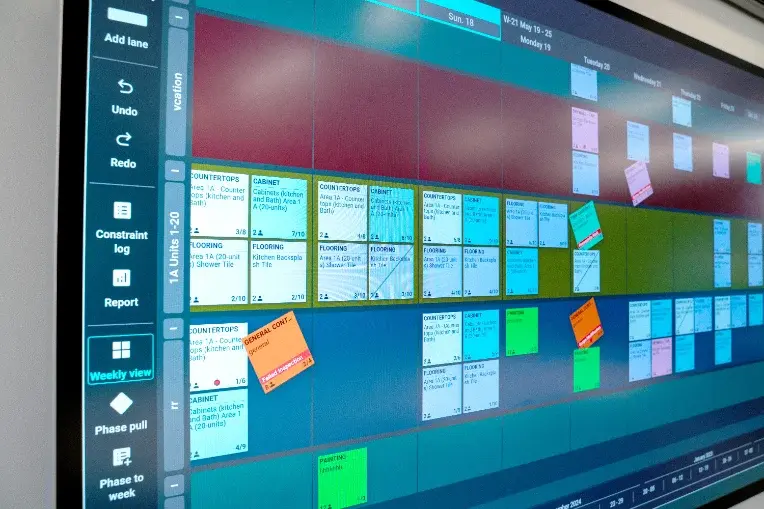
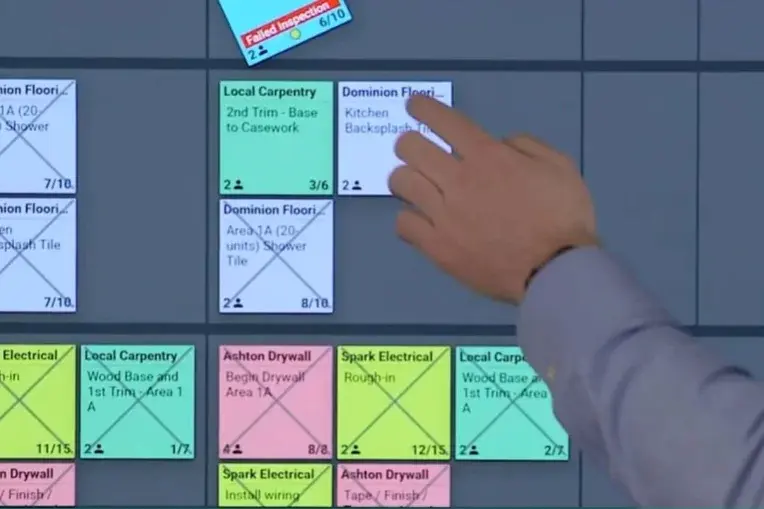
Color-coded tags by trade, drag-and-drop scheduling and touch gestures on a large display all mirror how physical planning boards work. No need for additional wall space or transcribing updates to a spreadsheet.
Results in better conversations
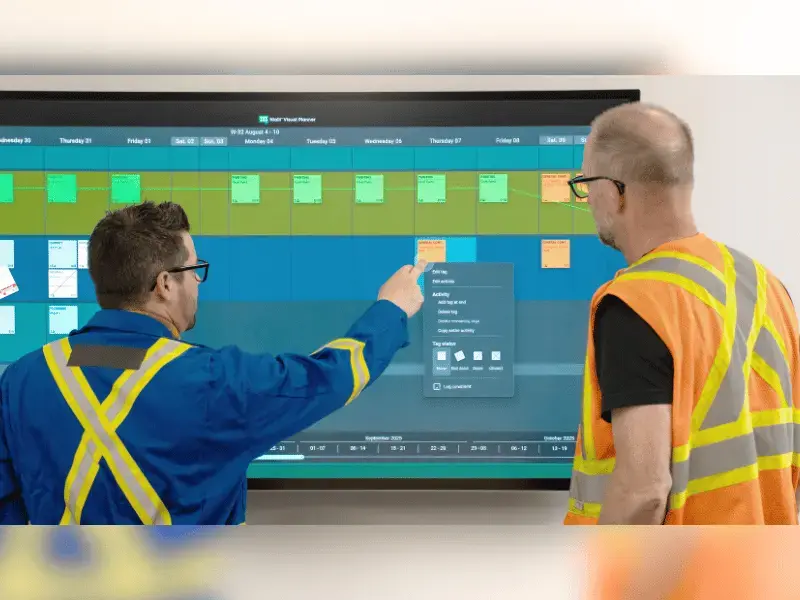
When the plan is visual and easy to interact with, field teams and project managers become more actively engaged. Trades gather around the board and contribute to discussions and problem-solving.
Improve handoff between teams
Built for Big Room planning sessions
Multiple users can interact with and touch the board, across up to three connected displays, working on the same project plan simultaneously.
Designed for multiple collaborators at once
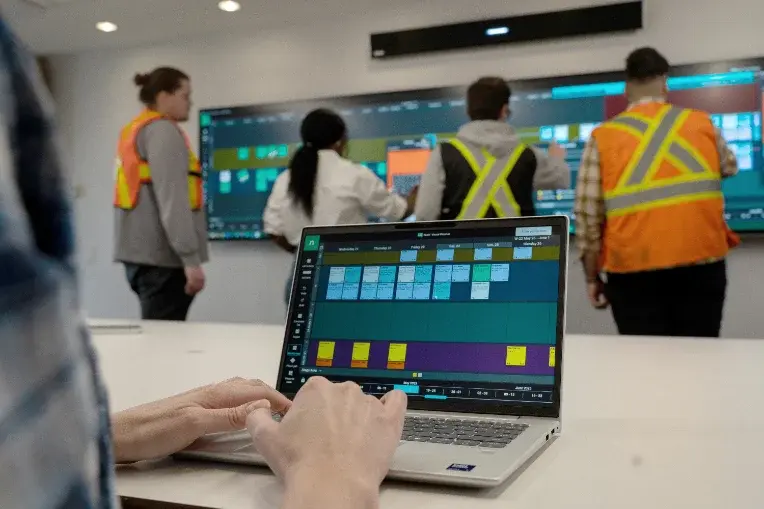
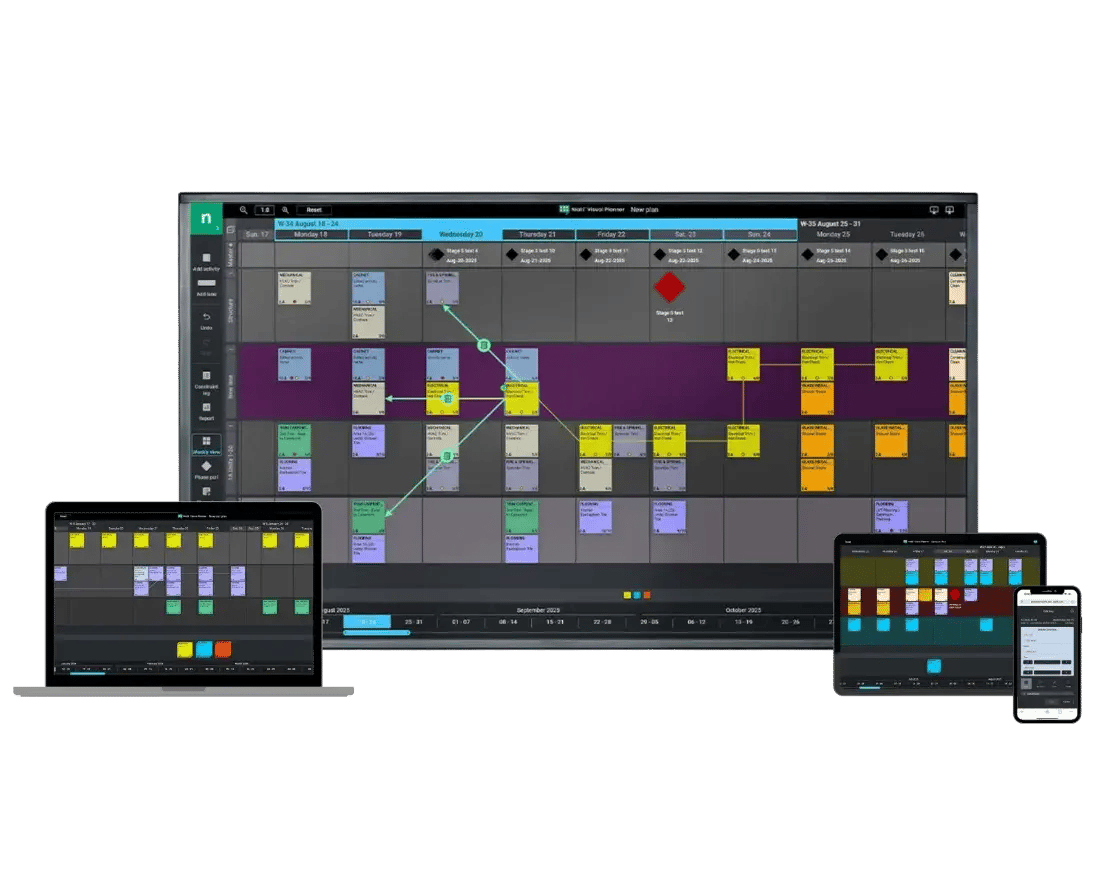
Project managers, trade partners, owners and remote stakeholders all work simultaneously, with real-time updates across every device. There's no limit on the number of users.
Developed for users to join from anywhere, on any device
Remote participants can work from a laptop, tablet or phone. Teams with distributed crews or multiple subcontractors can stay aligned without being in the same room.
Reduce repetition and admin
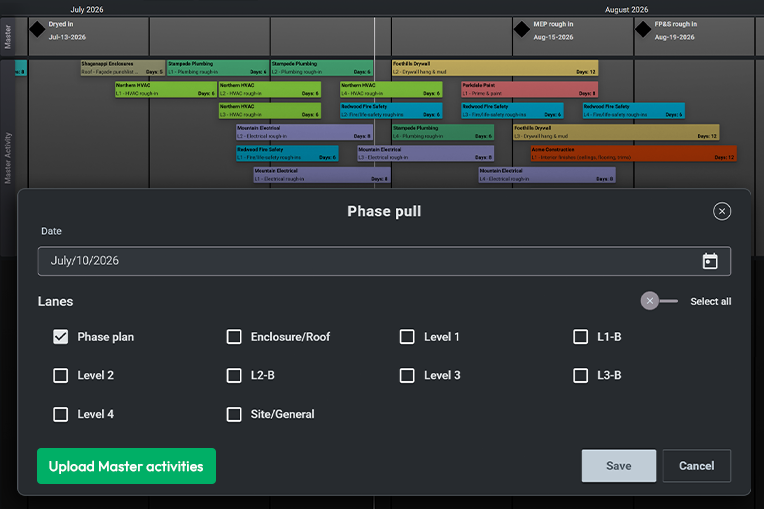
Imports data from your master schedule
Milestones and activities can be pulled from Oracle® Primavera P6, Asta Powerproject® or Microsoft® Project and uploaded directly to your plan. Your field teams can start planning immediately, without having to manually recreate the construction project schedule.
Includes analytics on construction project progress
Percent Plan Complete (PPC) and reasons-for-variance data generate automatically as your construction teams status their tasks.
Highlights constraints with visual cues
Constraints appear as yellow warning dots on affected tasks so your construction teams can see and address blockers before they become an issue, protecting project timelines.
See Nialli Visual Planner in action
Watch how PCL Construction uses digital pull planning for a complex hospital project, keeping field teams coordinated and on schedule while working on the construction of one of the largest cancer care centers in North America.
What are customers saying?
Hear from contractors using Nialli Visual Planner
“I met with the developers of Nialli, and it was like they’d read my mind. How did they know I needed this?”
Steve Hawthorne
Director of Operations, Mace
"Nialli has been a transformative software addition for our teams to really dive deeper into Lean and the Last Planner System® on our projects"
Dylan Almeida
Superintendent, PC Construction
"People get out of their chairs. They gather around the board. It encourages conversations rather than hiding behind laptops"
Sean Sachtleben
Lean Practice Leader, Austin Commercial
Designed for the Last Planner System®
Traditional top-down construction project management fails on real projects because variables in the schedule will surface only once work is underway. The Last Planner System addresses this issue by putting planning decisions in the hands of the people closest to the work and giving construction teams the flexibility to adapt as conditions change.
The result is more predictable project outcomes, less idle time for crews and fewer surprises at the handoffs between trades. Nialli Visual Planner digitizes the process with its construction work planning software, so your field teams retain the collaborative benefits of the Last Planner System without the limitations of paper planning.
Discover visual planning
The value of interaction
Learn how tactile planning bridges longstanding communication divides between field and office teams.
Why visual planning?
Explore the benefits of visual planning in construction and why your project should consider digital pull planning.
How contractors benefit
Hear from companies like Willmott Dixon, Mace and PCL on why they've chosen Nialli Visual Planner for collaborative planning.
Get started with Nialli Visual Planner today
Book a demo to see how Nialli pull planning software works on a project like yours. Or try a free plan for 30 days and test it on a real job.
Frequently asked questions
-
What is construction project planning software?
Construction project planning software is a robust tool that helps teams organize, schedule and coordinate their work. It gives project managers and field teams a shared view of planned tasks, and it keeps team members informed on when the work needs to happen, who is responsible and the constraints. Unlike spreadsheets and physical planning boards, construction plan management software updates in real time and keeps both office and jobsite teams working from the same information. Nialli Visual Planner is built specifically for this purpose, using a visual, collaborative format designed around how construction teams actually plan their work on-site. -
How is planning software for construction different from general project management software?
General project management software products like Asana, Monday.com and Jira are built for knowledge work: assigning tasks, tracking deadlines and managing approvals. They work well for office-based teams but are not designed for the realities of work on a jobsite. Construction project planning software is purpose-built for day-to-day management that encompasses trade sequencing, task handoffs between crews, task dependencies, weather events and the physical movement of work across zones, floors and phases. -
What is visual planning in construction?
Visual planning is a collaborative approach to pull planning and scheduling. It captures live input from field teams, enabling active projects to continuously adapt to changing circumstances and new information. Check out Nialli's resource library and knowledge hub to get started with visual planning.
-
Who should use Nialli Visual Planner?
Nialli Visual Planner is built to manage projects of all sizes and it is ideal for teams that need more visibility and control over site-level planning and scheduling. It is designed to be easy to access and use for everyone involved in a project — from internal teams to general contractors and specialty contractors — including owners, trades, engineers and schedulers. If you're struggling with timely delivery, cost tracking or keeping trades coordinated, visual project management software can help. When everyone understands and provides input on the upcoming schedule, it helps teams avoid expensive delays, idle time and rework on complex projects. -
How is Nialli different from general project management software?
Nialli Visual Planner is planning software built around collaborative, visual scheduling at the field level. General project management software is built for knowledge work: task tracking, approval management and progress tracking in list or board views. It is not built for coordinating trades on a jobsite. Nialli is purpose-built for construction project management. It accounts for trade sequencing, task dependencies, handoffs between crews, weather events and the physical movement of work across zones and phases. It is specifically modeled on the Last Planner System, so the planning stages it supports (master planning, phase pulls, weekly planning, daily huddles) map directly to how construction teams actually plan and execute work on-site. The interface is designed so field teams can status their work in seconds from a mobile device or interactive display without navigating software built for a desk-based workflow. -

How easy is Nialli Visual Planner to learn for construction teams on the jobsite?
Construction teams are already being asked to do a lot on the jobsite, and adding complicated construction management software to that list is a fast way to kill adoption before the first planning session ends. Nialli Visual Planner is built so anyone who can fill out a sticky note can use the application. Field users can learn everything they need to know in under 5 minutes, and most are productive within 10 minutes of their first session on a construction project. There are no downloads, no account setups for trades and no desk-based workflows to navigate. The interface mirrors the paper pull planning process that many construction companies already use, so field teams are not learning an entirely new way of working. -
What are the key features of Nialli Visual Planner?
The key features of Nialli Visual Planner encompass every stage of the Last Planner System in a single platform. Construction teams can import milestones and activities from a master schedule in a CSV file and then build out phase pulls, weekly work plans and daily coordination views on a single visual canvas. Task dependencies are mapped by dragging arrows between cards, with red indicators automatically flagging downstream impacts when a task becomes incomplete. A staging area lets field teams queue tasks in advance from any mobile device before a planning meeting starts, reducing the session time across multiple subcontractors. Schedule changes are made with drag-and-drop gestures optimized for large interactive displays and tablets, so construction project managers and superintendents can update the plan in real time without leaving the room. Work completion is tracked with a simple twist gesture on a touchscreen, and every status update feeds PPC and reasons-for-variance reporting automatically without manual data entry. For construction companies running multiple complex projects, all plan data can be exported to Microsoft Power BI for portfolio-level reporting and resource planning. -
What industries does Nialli Visual Planner serve?
Nialli Visual Planner is designed for any project that requires coordination among multiple trades and field teams. It is actively used across residential, civil, infrastructure, industrial, data center, commercial and institutional construction projects. The common thread across these types of projects is the need for a visual, interactive plan that field teams can follow and update in real time, giving managers ground-level visibility into how work is progressing without slowing down the crews doing it. -
Can multiple teams collaborate on the same plan at once?
Yes. There is no limit on the number of users who can access and update a Nialli plan simultaneously. General contractors, specialty contractors, construction project managers, superintendents, owners and remote stakeholders can all work on the same plan in real time, with updates instantly visible across every device. Because plans are not priced per user, construction firms can include all team members and subcontractors without managing individual licenses, making it practical to keep all stakeholders aligned across the full project team throughout the life of a construction project. -
What devices are supported?
Nialli Visual Planner is a fully web-based project management platform that requires no software downloads or installation. The application can be accessed online using the Chrome™ browser (recommended) on Windows®, macOS® and ChromeOS™ computers. A field view is also available for teams and field users logging in from mobile or tablet devices on the jobsite. -
In which regions is Nialli Visual Planner available?
Nialli Visual Planner is currently available for sale in Australia, Canada, the European Union, the United Kingdom and the United States. Data residency is also offered in these regions. Construction companies outside these locations should contact sales for assistance and eligibility. -
Do I need interactive displays or a dedicated Big Room space to use Nialli Visual Planner?
While touch displays and a dedicated space for team collaboration are recommended for an optimal collaboration experience, they are not required! Many contractors are using Nialli Visual Planner construction software on their desktops and mobiles. But setting up your project with a digital Big Room might not be as expensive as you think! Chat with our team to learn more about recommended hardware options. -
What reporting tools does Nialli include?
Nialli generates PPC (Percent Plan Complete) reports automatically as a by-product of daily task updates to track project progress, so no extra data entry is required from field teams or project managers. Reasons for variance are captured each time a task is marked incomplete, giving construction project managers a factual breakdown of the causes of plan deviations week over week. This data is available in-app and can be exported to Microsoft Power BI for custom dashboards. For construction firms managing multiple projects, Power BI consolidates data across the portfolio into a single reporting view to track progress and support resource planning. Not only does your site team always stay connected, up to date and have reporting time removed from their schedule, but you're also capturing data across multiple sites. Having a constant overview of every site at your fingertips allows you to see the larger picture, so you can ultimately drive enterprise-level business improvement through deployment across many sites. This is all accomplished without incremental effort or complexity for site operatives. -
Does Nialli Visual Planner replace my master schedule?
No. Nialli Visual Planner works alongside your existing construction project management software, not instead of it. Your master schedule in Oracle Primavera P6, Asta Powerproject or Microsoft Project remains the contractual record for project controls, milestones and budget tracking. Nialli handles field-level production planning, giving teams a visual canvas to coordinate day-to-day work without requiring project managers to maintain two separate systems. Milestone and activity data are imported directly from your master schedule in CSV format, so your field teams can start planning from the same baseline without manual reentry. -
How can I get started?
Book a demo or contact us to learn more about Visual Planner, Nialli's construction project management software. Ready to jump right in? Take advantage of Nialli's 30-day free trial program (no credit card required). You get complete access to all core features so you can test the software on a real construction project before committing to a paid plan. Your project data carries over when you upgrade so nothing is lost.