
The trades section allows subscription admins to create and manage a centralized list of trades — known as the master trades list — which is available to plan admins during plan setup.
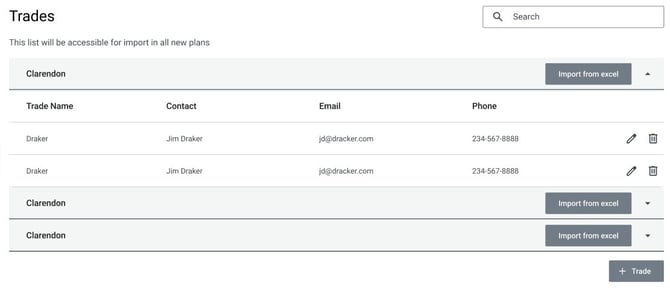
Managing trades
You can add, edit or delete trades. Each trade entry includes:
- Trade name (required)
- Contact name
- Email address
- Phone number
When a subscription administrator creates a new plan in Visual Planner, the master trades list is automatically included. However:
- Updates made to the master trades list via the subscription admin portal do not affect trades lists already added to existing plans.
- Changes made to a plan’s trades list by plan administrators within Visual Planner do not update the master trades list.
- Trades imported to Visual Planner from the Nialli Administration Portal (master trades) can be edited and/or deleted, but they cannot be renamed.