
As a subscription administrator, you can define a standardized list of reasons for variance to be used across your organization.
Note: Only subscription administrators can access this portal. Learn more about Nialli™ Visual Planner permission levels.
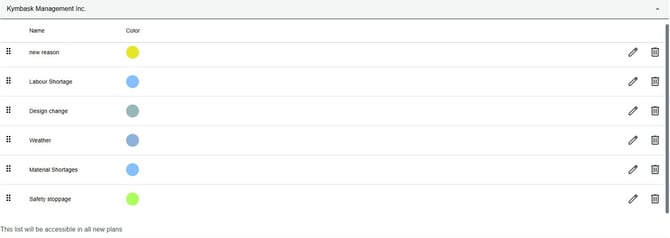
Managing reasons for variance
Reasons for variance are used to explain why a task was not completed on schedule. When a task (tag) is marked as Not Done, users are prompted to select the most appropriate variance reason from a predefined list. These reasons provide important context for reporting, analysis, and decision making.
Variance reasons can differ:
- From plan to plan
- From subscription to subscription
- Between organizations
There is a clear need for standardized variance reasons to support consistent reporting across an organization. At the same time, flexibility is required to accommodate subscription specific and plan specific scenarios.
Visual Planner addresses both needs by supporting variance reasons at the organization, subscription, and plan levels.
Organization-wide reasons for variance
For organizations that manage multiple subscriptions, variance reasons can be set at the organization level. This allows organizations to maintain a standard list of variance reasons across all subscriptions, ensuring consistency in reporting and analysis.
Permission - Subscription admins only
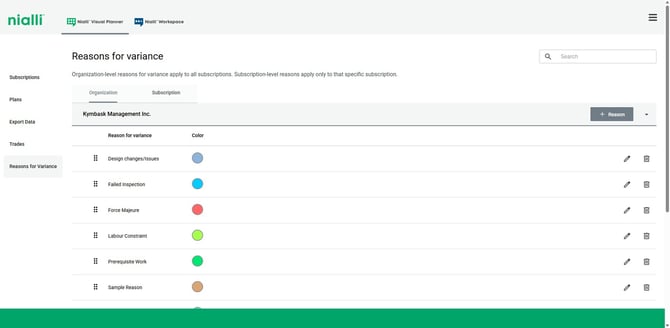
How to Add, Edit, and Delete Organization‑Wide Reasons for Variance
To Add a new reason for variance:
- Log in to the Nialli Administration Portal
- Navigate to Reasons for variance
- Select Organization tab
- Click on + Reason to add a new reason
- Input the reason and assign color from the list provided in the dialog
- Save your changes.
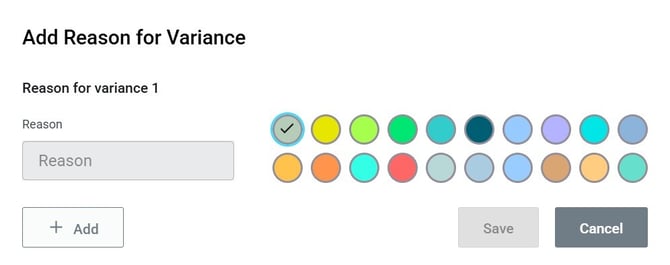
To Edit an existing reason for variance:
- Click on the Edit icon beside the reason for variance
- Edit the reason for variance on the input box
- Save your changes
To Delete an existing reason for variance:
- Click on the Delete icon beside the reason for variance
- Click Delete to confirm
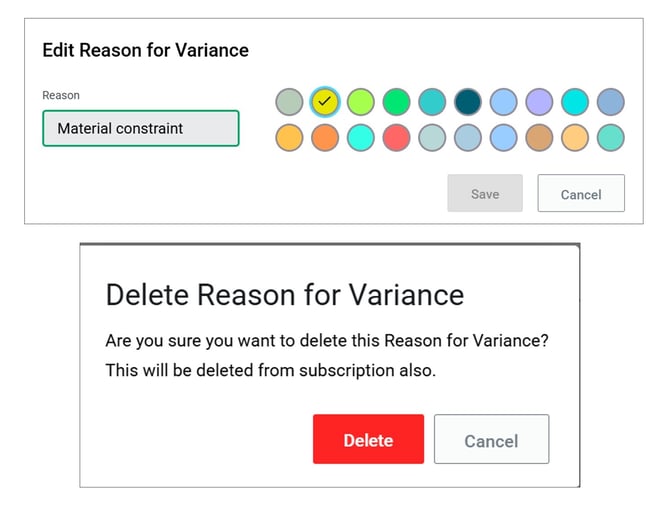
Changes made at the organization level become available to all subscriptions under the organization.
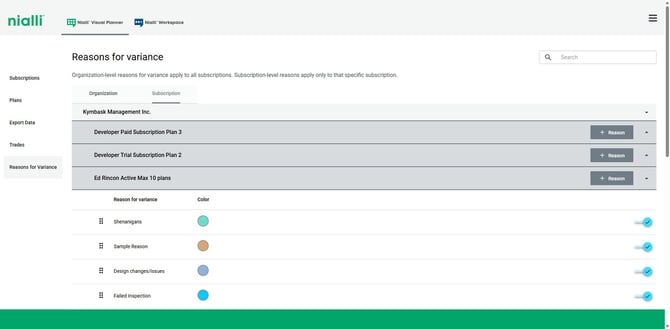
Subscription level variance reasons
When a subscription is created, it inherits a default list of variance reasons provided by Visual Planner at the organization level.
- Subscription admins can customize this list using the Nialli Administration Portal
- Changes made at the subscription level will affect all plans created under that subscription going forward.
Plan level variance reasons
When a plan is created, it inherits the variance reasons assigned to its parent subscription at the time of plan creation.
From the plan settings menu in Visual Planner, plan admins can:
- Choose which inherited variance reasons to show or hide for their plan
- Keep only the reasons that are relevant to the specific plan
Subscription level variance reasons inherited by a plan cannot be edited or deleted at the plan level, but plan admins can choose whether to show or hide them.
For more information on reasons for variance at the plan level, refer to our knowledge base article Plan Setup- Reasons for Variance
When a subscription administrator creates a new plan in Visual Planner, the current list of
reasons for variance is automatically included. However:
- Updates made to reasons for variance via the subscription admin portal do not affect the lists already added to existing plans.
- Changes made to a plan’s reasons for variance by plan administrators within Visual Planner do not update the list of reasons for variance in the subscription management portal.