
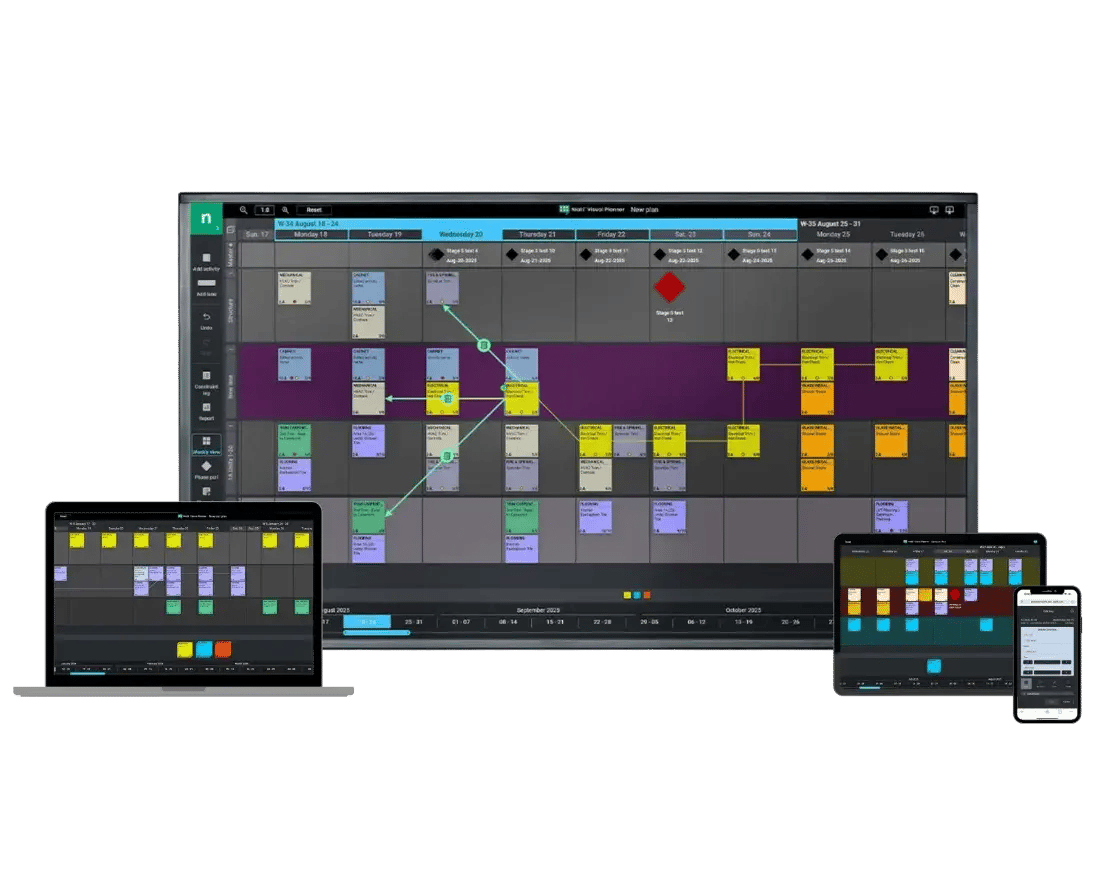
PULL PLANNING SOFTWARE: FREE TRIAL
Keep your whole team aligned and your schedule on track, free for 30 days, with Nialli™ Visual Planner.
No learning curve → Feels like using sticky notes
Interactive → Supports multiple displays and multitouch
Collaborate anywhere → Work from any device, any location
Try Visual Planner today
Get free scheduling software for construction for 30 days. No credit card required.
See why PCL Construction chose Nialli
What to expect from your free construction planning software trial
Try all the features
Get 30 days of full access to all available features, without requiring a credit card.
Skip surprise bills
After 30 days, move to flat, plan-based pricing that includes all features and basic support.
No reestablishment
When you upgrade to a paid subscription, your data is automatically transferred.
Designed for the Last Planner System®
Traditional top-down scheduling breaks down on real construction projects because the variables that matter most only surface once work is underway. The Last Planner System is built on Lean construction principles, handing planning decisions to the people closest to the work and giving construction teams the flexibility to adapt as conditions change, rather than chasing a schedule built in a conference room.
The payoff? More predictable project outcomes, less idle crew time, and fewer unexpected delays at the handoffs between trade contractors. Nialli Visual Planner digitizes the planning process, keeping everyone fully informed so your field teams retain the collaborative benefits of the Last Planner System without the limitations of paper planning.
What are customers saying?
Hear from contractors using Nialli Visual Planner
“I met with the developers of Nialli, and it was like they’d read my mind. How did they know I needed this?”
Steve Hawthorne
Director of Operations, Mace

"Nialli has been a transformative software addition for our teams to really dive deeper into Lean and the Last Planner System on our projects."
Dylan Almeida
Superintendent, PC Construction
"People get out of their chairs. They gather around the board. It encourages conversations rather than hiding behind laptops."
Sean Sachtleben
Preconstruction Manager and Lean Practice Leader, Austin Commercial
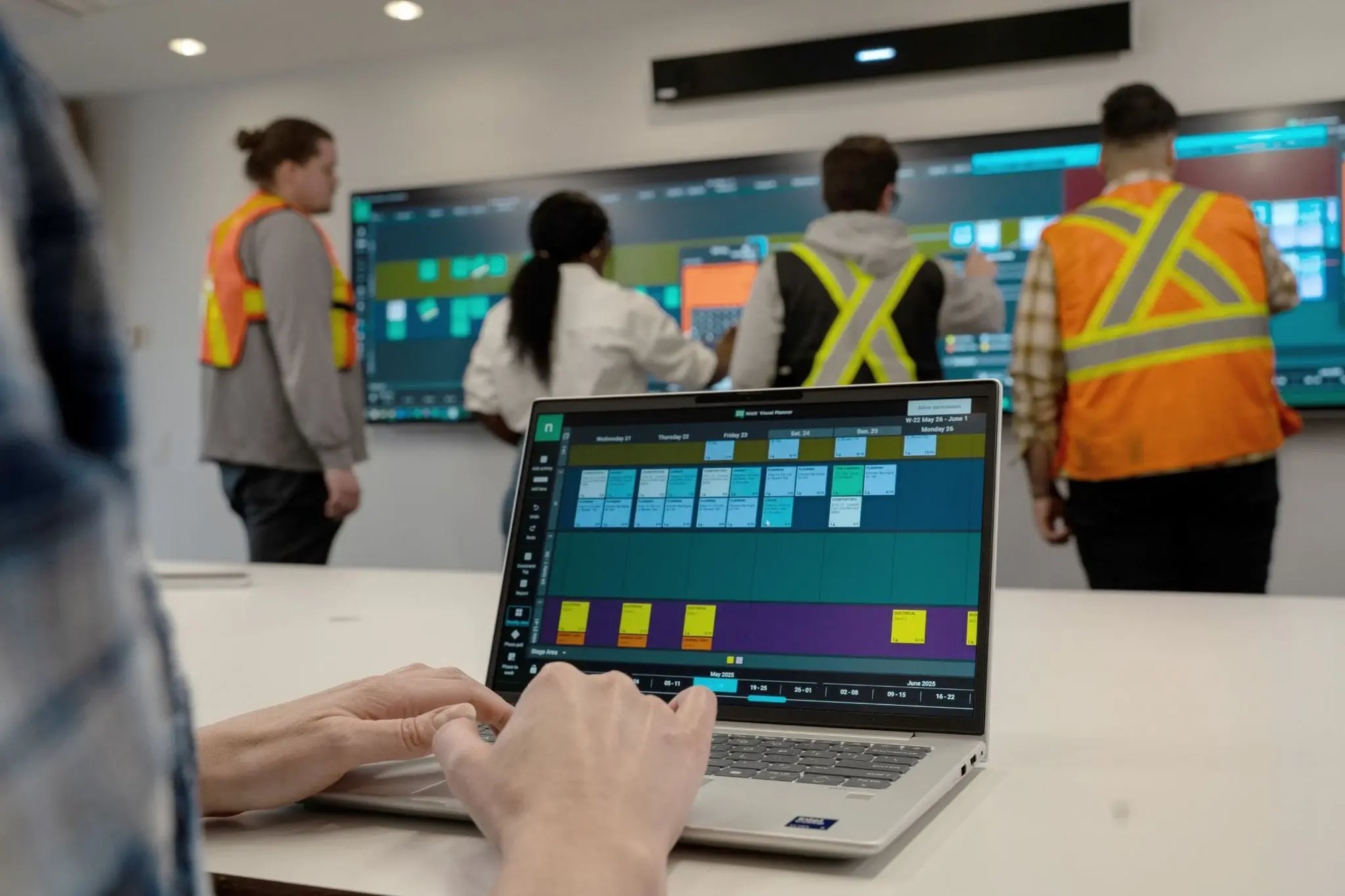
Features that revolutionize the construction process
Learn how Visual Planner keeps conversations going and projects on track
Set up your plan
Configure software in minutes and add your construction teams with no user limit.
Create tasks from anywhere
Improve communication by giving everyone access from any device at any time.
Drag and drop cards
Make schedule changes by just dragging your tags where you want them.
Track completed work
Use a simple twist gesture to update the status on work that’s been completed.
Show dependencies
See which tasks are dependent on others with the clear visual markers.
Plan ahead with phase pulls
Strengthen lookahead planning with tools that get teams fully aligned.
See continuous improvement
Capture data automatically to give teams immediate feedback on project status.
Frequently asked questions
-
What is pull planning software and how does it work?
Pull planning software turns the Last Planner System into a digital workspace. The general contractor, trade contractors and project managers build a master schedule together, starting from the completion date and working backward through each required step. Nialli Visual Planner replaces sticky notes with a shared digital board, so every task, owner and deadline stays visible to the full team.
-
What happens during a pull planning session?
A pull planning session brings the general contractor, trade contractors and project managers together to map out the path to the construction project's completion. Each trade adds its tasks to the master schedule in the order they need to happen, working backward from the finish date. A successful pull planning session ends with every responsible party agreeing on their milestones, with buy-in from the full team.
-
How is pull planning different from push planning in construction project management?
Push planning starts from today and schedules tasks forward based on estimated durations. Pull planning works backward from the project's completion date, so trade contractors pull tasks into the schedule only when the work ahead of them is ready. This lean construction principle cuts down on unexpected delays because teams plan around real dependencies instead of guesses.
-
For what project planning activities can I use Visual Planner?
Visual Planner is designed for collaborative planning involving project teams and trades. It's modeled on the Last Planner System, supporting milestone planning, pull planning, make-ready planning, weekly work planning, constraint management, daily huddles and tracking reasons for variance and Percent Plan Complete (PPC).
-
Do I need to download anything?
Nope! Visual Planner is fully web-based. Log in from any browser (Google Chrome™ recommended) at software.nialli.com. If you are on a mobile phone or tablet, you will automatically be rerouted to our field view.
-
Do I have access to learning or resources during my trial?
Yes! We have a variety of helpful resources available in our Knowledge Hub. Our team will also check in periodically during your free construction planning software trial to see how we can best assist you.
-
Once I'm done with my trial, how much does Visual Planner cost?
Nialli offers flat, plan-based pricing for subscriptions of all sizes. Reach out to sales@nialli.com and we'll be happy to provide you with a quote.
-
What features will I have access to during my free trial?
During your trial, you will have access to all the features included in a paid Nialli Visual Planner subscription.
-
I'm a student or teacher. Do you offer any programs for higher education?
Yes! Students and educators can get complimentary access to Nialli Visual Planner for learning (non-commercial) purposes. Contact us at sales@nialli.com to get started.
-
Does pull planning software specifically fit Lean construction projects?
Pull planning is a core practice in Lean construction. Lean pull planning software makes it easier to apply Lean principles, like reducing waste and improving flow across a jobsite, at scale. Nialli Visual Planner tracks constraints and reasons for variance, so teams can see where time and materials are lost and adjust the process for the next project.
-
Can pull planning software help identify delays before they affect my schedule?
Yes. Digital pull planning software tracks progress against the schedule in real time, so teams can spot potential delays and constraints as soon as they show up, not just during the weekly meeting. Nialli Visual Planner’s lookahead planning view flags which tasks are at risk, so trade contractors can act before a small holdup turns into a missed milestone.
For more resources, explore the resource library.
Construction schedule software: Free
Get in touch with our team now to start your Visual Planner free trial.