CIVIL CONSTRUCTION PLANNING SOFTWARE
Digital pull planning for civil infrastructure projects
Keep crews, delivery plans and critical handoffs coordinated with Nialli™ Visual Planner. Give office and field teams a single project plan, even when they’re far away from the site trailer.
Civil infrastructure work includes some of the most complex projects in the construction industry, where one missed handoff can stall an entire delivery plan.
Work spread across large areas
- Jobs so far apart that a quick huddle in the trailer turns into a drive across the site
- Crews, subcontractors and specialized equipment are tied together through the same task dependencies
- Sequential work where a missed commitment in one area of the site prevents work from starting in the next area.
Live operations and outdoor conditions
- Rail lines, level crossings, treatment plants and power infrastructure that have to keep running during construction
- Limited access windows that can be lost altogether when work isn't ready on time
- Rain, flooding and lightning that force teams to replan the current phase of work
Separate decisions from owners and contractors
- Joint ventures where several firms share decisions on the same project
- Owners who stay heavily involved and hold knowledge the general contractor doesn’t
- Owner project managers and operating groups who need to track progress day to day from remote sites
Meet Nialli™ Visual Planner
Simple, hands-on collaborative civil infrastructure planning
See every handoff before it holds up the next work phase
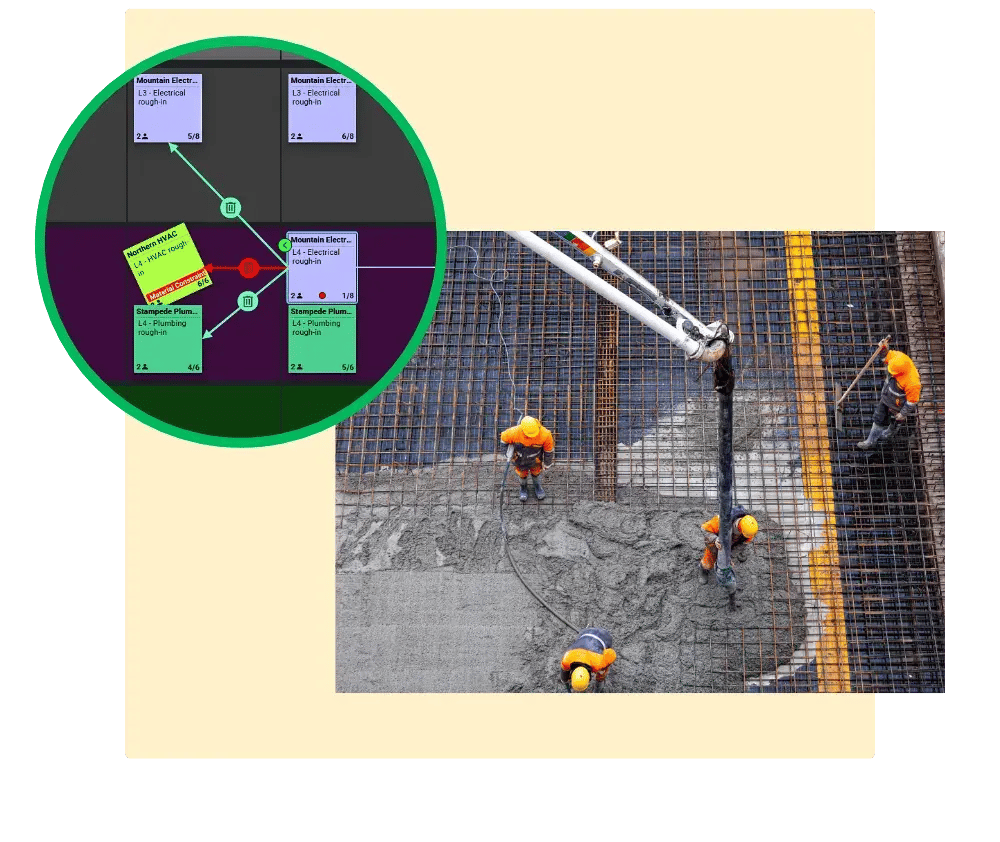
Map out work by trade and work area, connect task dependencies and clear constraints before crews and equipment sit idle. When a predecessor task is marked as incomplete, its connection turns red, flagging downstream work. Digital pull planning puts the people closest to the work in charge of project execution, using the proven Last Planner System® framework.
Plan backward from milestones
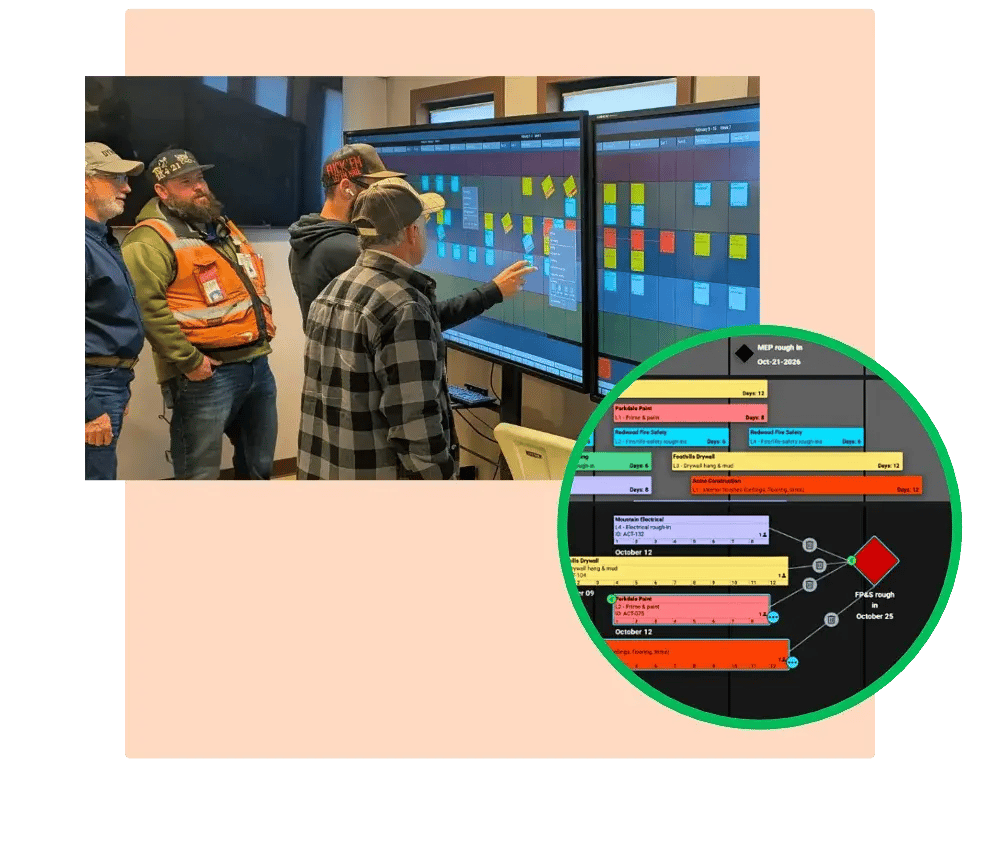
Import key activities and milestones from your master schedule. Then turn them into detailed schedules through a collaborative phase plan with direct input from the crews and subcontractors doing the work.
Manage constraints proactively
Log constraints like permits, inspections, access and material deliveries at the task or project level. Constrained tasks carry a visual indicator, so every crew member knows early what isn’t ready to proceed.
Replan when the weather turns
Make adjustments when needed to outdoor work exposed to the elements. As conditions change, you can move activities, flag and add weather events directly and replan through real-time collaboration without putting the overall schedule at risk.
Keep the whole project team working from one plan
Shift from top-down scheduling to reliable, bottom-up commitments. Instead of separate tools and whiteboard photos, crews, subcontractors, owners and joint venture partners all work from the same live plan on a single platform, wherever they are on the project.
Provide access from the field
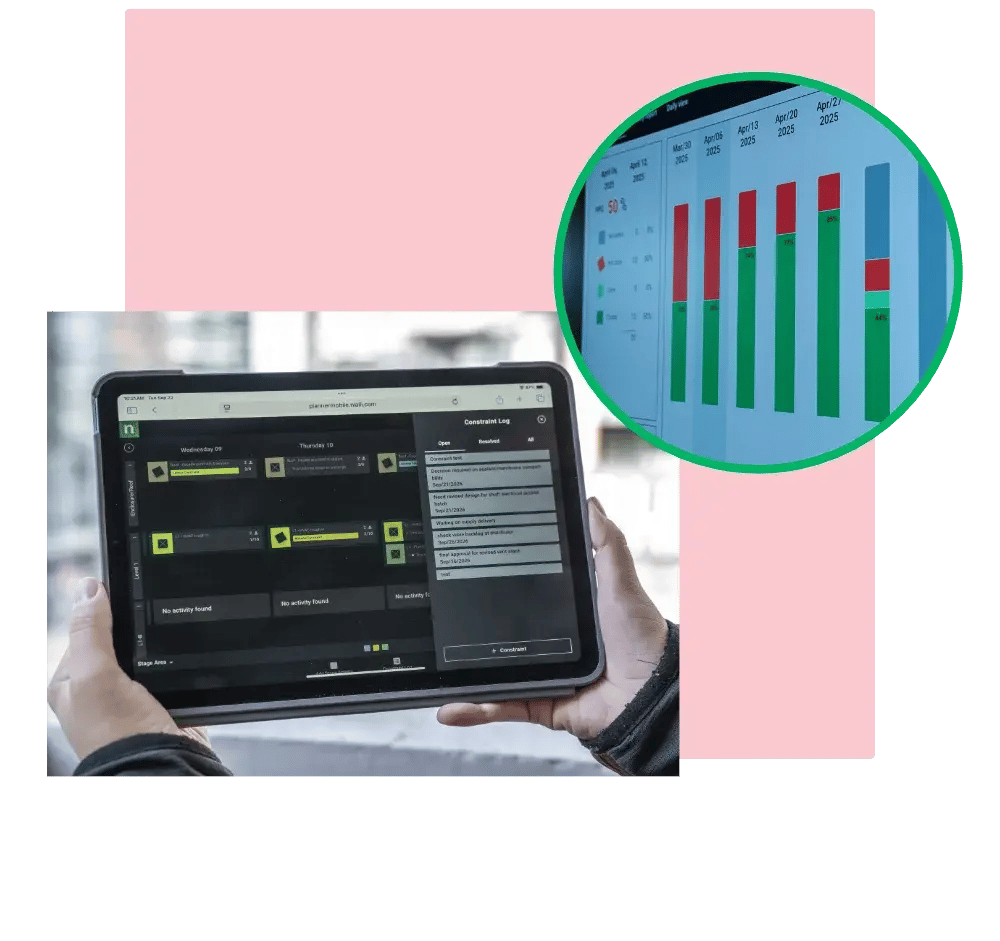
Enable field workers, superintendents and trade leads to check upcoming work, upload and view site photos, manage tasks and log constraints right from the jobsite on computers, tablets and smartphones with an internet connection.
Engage all trades
Involve everyone who needs access — there’s no limit on the number of users. An easy, hands-on interface keeps crews, specialty contractors and subcontractors engaged and contributing to daily status updates.
Give owners ground-level visibility
Share the live plan with owner project managers and operating groups so they can follow day-to-day progress and project information between site visits. Client communication runs off the same live plan.
Know where the project stands every day
Cut down administrative tasks and track daily progress across every work front. Measure project performance against the master schedule and pull your project data into the reports your team already uses. Because activities and milestones come in from the master schedule, project tracking happens against the plan everyone agreed to.
Track daily progress
View Percent Plan Complete and reasons for variance, which are automatically logged and calculated when crews mark work as complete or incomplete, so reporting becomes a routine task rather than extra admin.
Build reports in one click
Connect to Microsoft® Power BI and turn your key data into prebuilt analytics reports with a single click, including PPC by trade, planned versus actual crew size and variance from the master schedule.
Drive continuous improvement
See the full history of the project as it unfolded at the ground level. Use this information to improve future bids and schedules.
See collaborative planning on a civil infrastructure project
Aecon Group adopted the Last Planner System to improve collaboration, accountability and project outcomes on the Winnipeg North End Sewage Treatment Plant (NEWPCC) Upgrade Project. Key site members from the Red River Solutions Joint Venture share how they moved from traditional planning methods to a more transparent, team-driven approach with Nialli Visual Planner.
Additional resources
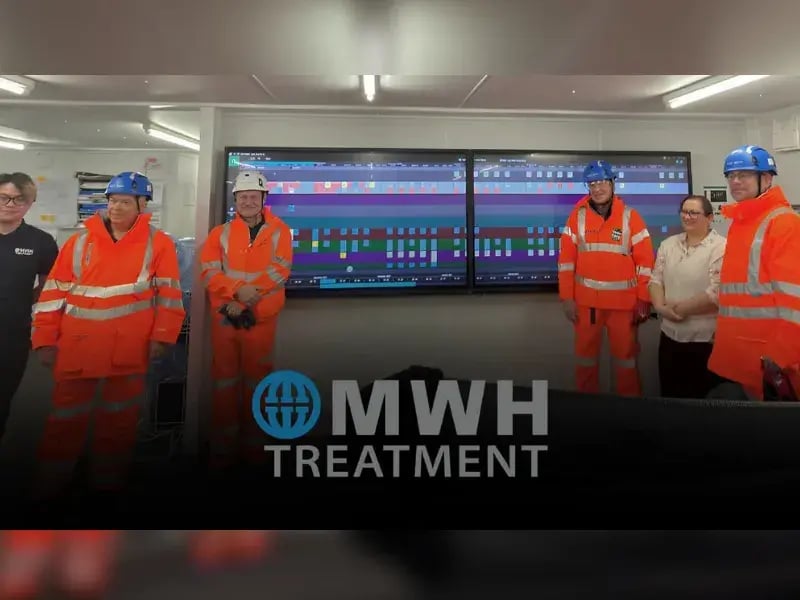
MWH Treatment's Lean journey
Continuous improvement is central to MWHT's success as a market leader in water and wastewater solutions across the UK. Learn more about their strategic use of Nialli Visual Planner.
Why visual planning?
Explore the benefits of visual planning in construction and why your project should consider digital pull planning. Check out Nialli's full how-to series next.
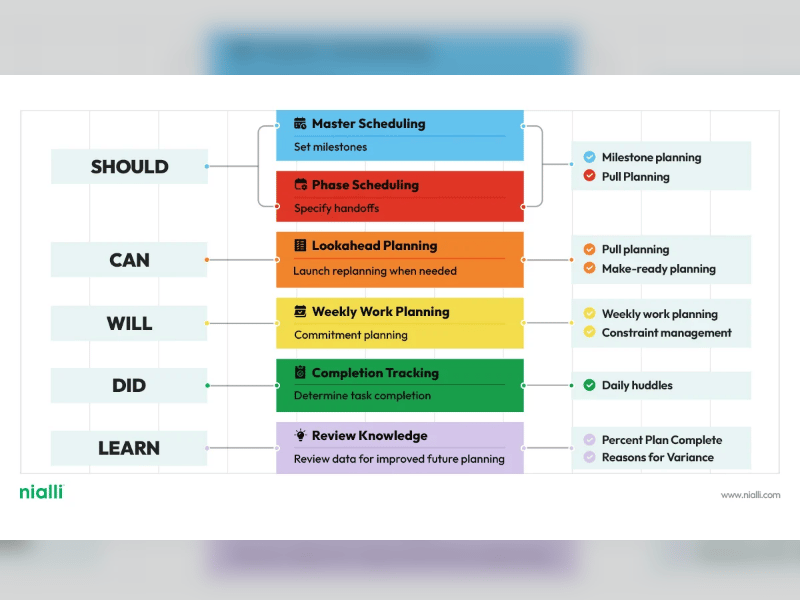
How the Last Planner System works in Nialli Visual Planner
See how each stage of the Last Planner System, from master planning to weekly work planning, comes together in Nialli Visual Planner.
Improve civil infrastructure project delivery
Book a demo or try Nialli Visual Planner free for 30‑days.
Your questions, answered
-
How does Nialli Visual Planner work with P6 or the master schedule?
Nialli Visual Planner works alongside your construction scheduling software rather than replacing it, so the critical path stays in your master schedule while the field plans the detailed work. Teams can import activities and milestones from Oracle® Primavera P6, Microsoft Project, or Asta Powerproject® via CSV, then build a collaborative phase plan backward from those milestones. Because the plan starts from the master schedule, teams can measure field progress against it throughout the project.
-
Can we plan and view work by crew, location or work area?
Yes. Teams assign tasks by trade and can lay out work by area to show who is working where. Large or complex projects are typically split into separate plans by zone or phase, so each work front gets its own detailed plan. In the field, users assigned to a trade see only their own activities in the daily view.
-
How do we track constraints and see what isn't ready to proceed?
Constraints can be logged at the task or project level and show up as a yellow warning dot on the affected activity, so everyone can see what isn't ready before work is committed. When a predecessor activity is marked incomplete, its connection lines turn red to show the impact on dependent work. Field teams can also report issues through the constraint log on a phone or tablet.
-
How do we compare planned versus actual progress?
Nialli Visual Planner automatically calculates Percent Plan Complete and the reasons for variance as construction teams mark work as complete or incomplete. Through Nialli Visual Planner’s direct integration with Microsoft Power BI, teams can open prebuilt reports on PPC by trade, planned versus actual crew size and variance from the master schedule, or they can build their own custom reports. Planned versus actual crew size also supports resource management by showing how resource allocation compares to the plan.
-
Where does Nialli Visual Planner fit alongside other infrastructure project software?
Most construction companies already run construction management software for project financials and document management, accounting software for back-office operations and a CPM tool for the master schedule. Nialli Visual Planner covers the gap between those systems and the field: the weekly commitments, handoffs and constraints that decide what gets built next. If your team is evaluating civil construction or civil engineering project management software, Nialli Visual Planner serves as the collaborative planning layer alongside that construction management platform. Job costs, cost tracking, financial tools and document control stay in the systems built for them rather than being forced into a single system.
-
How do I choose the right construction management software for civil projects?
There's no single best construction management software for every civil project. The right construction management software depends on how your construction business manages projects. Platforms built for financial management and cost management track cost data, actual costs and cash flow in the back office. Field-level planning requires key features such as real-time collaboration, task management, task dependencies, and constraint tracking, all within a plan that field teams will actually use. Many construction firms end up with multiple tools that don't share data, which leads to duplicate data entry. Look for planning software that brings milestones in from your master schedule and sends project data out to external tools like Microsoft Power BI, so project control in the field fits your existing construction workflows.

-
How do I get started with Nialli Visual Planner?
Book a demo or contact us for a walkthrough of Nialli Visual Planner for civil construction projects. Ready to jump right in? Take advantage of Nialli's 30-day free trial program (no credit card required). You get complete access to all core features to see if the civil construction project management software is right for you before committing to a paid plan and every subscription includes onboarding and ongoing support.