RESIDENTIAL CONSTRUCTION MANAGEMENT SOFTWARE
Digital pull planning for residential construction projects
Complete housing units faster with Nialli™ Visual Planner, project management software for residential construction built on the Last Planner System®. Give your entire team one live plan for each building, phase and handoff, from multifamily and mixed-use developments to full subdivisions.
Demand for new housing is pushing residential construction teams to build faster, on tighter margins, with less room for error.
Margins that can’t absorb mistakes
- Rising trade labor and material costs are squeezing every project budget.
- Crews are left waiting when a handoff slips by a day or two.
- Subcontractors are hired on a low bid, with no data on who actually delivers.
Pressure to deliver more units, sooner
- Housing demand is pushing builders and developers to complete more new homes every year.
- Sequences are repeated across buildings, phases and lots, where one late task completion by a trade holds up the next crew.
- More demand means more buildings, phases and trades to coordinate at the same time.
Teams that are stretched thin
- Project managers and superintendents are spending their days firefighting escalations.
- Experienced site leaders are hard to hire and harder to keep.
- Schedules exist on paper, whiteboards or spreadsheets that field teams and office teams can’t easily see or update.
Meet Nialli™ Visual Planner
Simple, hands-on collaborative planning for residential construction
Keep trades moving from one unit to the next
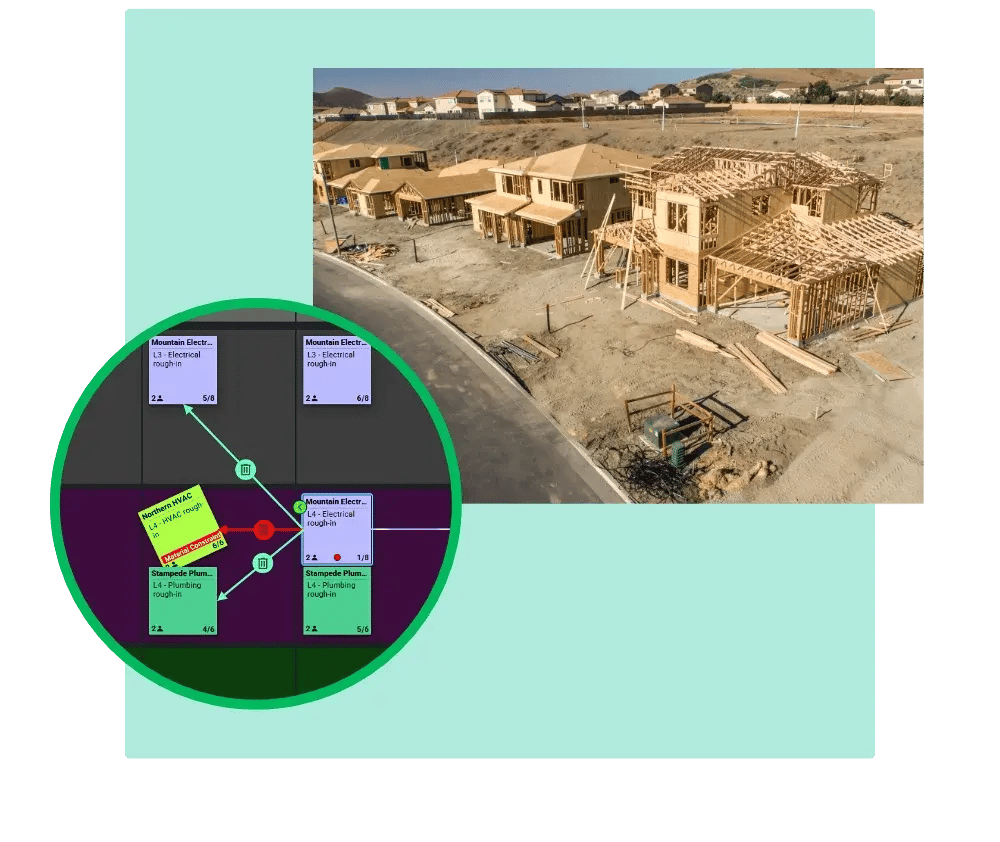
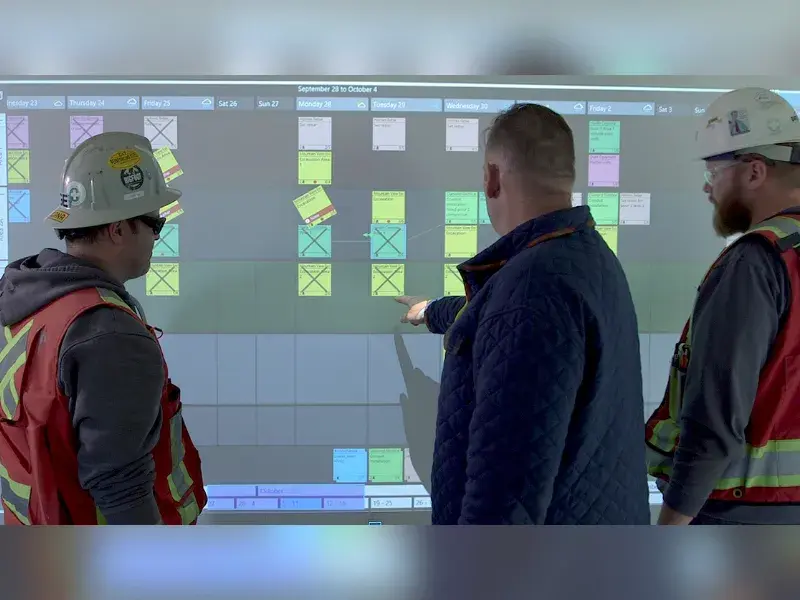
Assign tasks by trade and connect task dependencies across buildings, floors and phases. Spot trade stacking before crews sit idle. When a task is marked as incomplete, its connection turns red, flagging downstream work. Digital pull planning puts the people closest to the work in charge of the plan, using the proven framework of the Last Planner System.
Plan backward from milestones
Import key activities and milestones from your master schedule, then build a collaborative phase plan with direct input from the trades doing the work, from the first milestone to project completion.
Manage constraints proactively
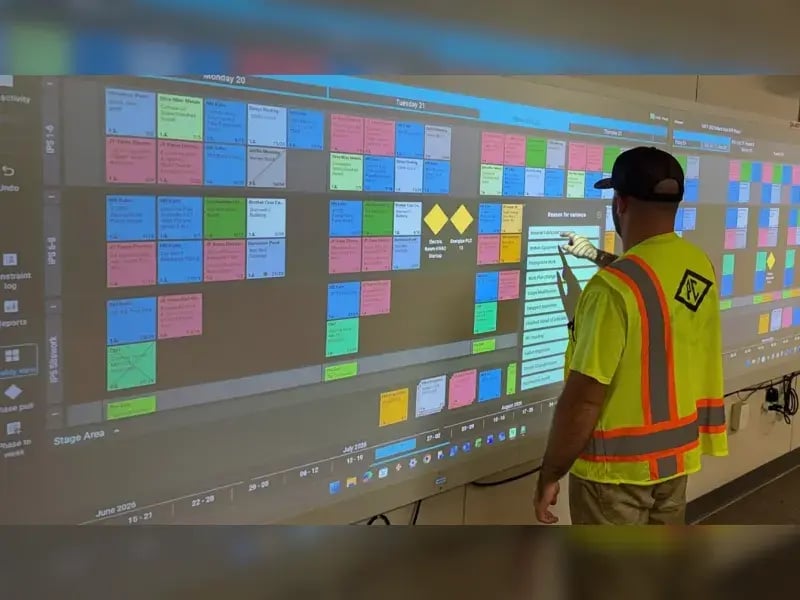
Log constraints at the task or project level, such as a late material delivery, a pending inspection or a pallet of paint blocking access to the next unit. Constrained tasks display a visual indicator, so every trade knows early on what could delay the schedule.
Plan by building, phase or community
Split larger projects into separate plans by building, floor, phase or zone, so each team works from a dedicated plan and handoffs stay coordinated. Duplicate proven efficient sequences of work for the next building plan.
Start where your team is today
Roll out your new digital tools gradually. Pull planning with sticky notes? Running weekly planning meetings or daily stand-ups? Nialli Visual Planner supports your current process without requiring you to adopt every element of the Last Planner System on day one. Expand from there as your team is ready.
Protect milestones with reliable commitments
Shift from top-down scheduling to commitment-based planning. Trades commit to the work they know they can finish, so due dates are met and the next crew can start on time instead of standing around waiting.
Access from anywhere
Keep team members updated everywhere in real time on interactive displays, computers, tablets and smartphones with an internet connection. Everyone on the plan gets real-time visibility as updates unfold, helping ensure teams stay aligned.
Engage all trades
Provide access to all your team, with no limit on the number of people. A user-friendly, hands-on interface keeps specialty contractors and trades engaged and contributing to daily status updates, without having to buy a license for each person.
Know which trades deliver, week after week
Reduce admin work and keep project tracking up to date across all buildings and phases. Because the plan lives in residential construction project management software instead of on a wall, your team captures critical data as a by-product of planning, with no extra steps.
See delays coming while there’s still time to act
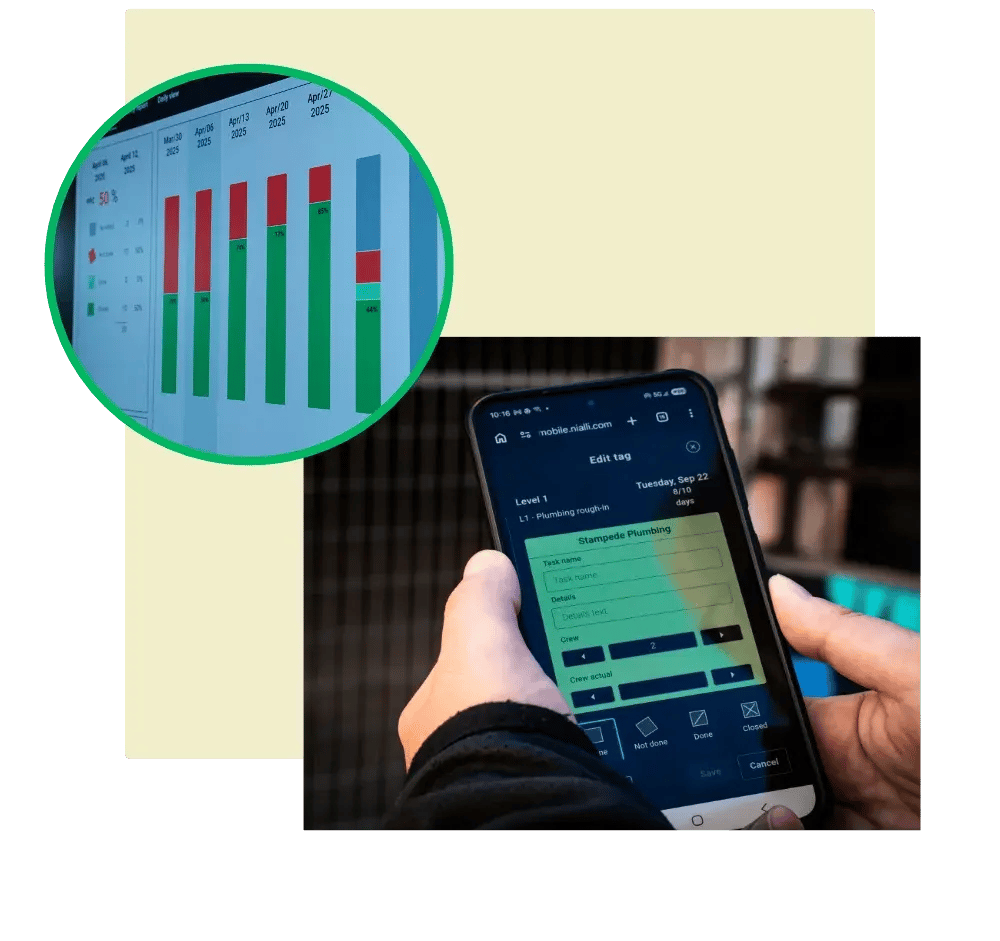
View the weekly commitment data, which shows when a project is starting to slip so you can step in before it affects handover dates. Better schedule predictability means you can commit to dates with confidence and take on new work knowing your projects will be completed on time.
Choose trades based on performance
See how each trade performs week to week by monitoring the in-app Percent Plan Complete and reasons for variance. Send project data to Microsoft® Power BI for pre-built reports so trade selection is based on results, not just the lowest bid.
Drive continuous improvement
Compare performances of the same sequences used for your residential projects. Use each project record with the full history of how work unfolded on-site to improve the next building, phase and bid.
Additional resources
Move pull planning off paper
See what changes when pull planning goes digital. Sticky notes and whiteboards get teams talking, but they’re hard to share, track and keep up to date.
Why visual planning?
Explore the benefits of visual planning in construction and why your project should consider digital pull planning. Check out Nialli’s full how-to series next.
How contractors benefit
Hear from companies like Willmott Dixon, Mace and PCL on why they’ve chosen Nialli Visual Planner for collaborative planning.
Improve residential project delivery
Book a demo or try Nialli Visual Planner free for 30‑days.
Your questions, answered
-
How does Nialli Visual Planner compare to pull planning on paper?
Nialli Visual Planner keeps the visual, hands-on feel of sticky notes and planning boards, so planning sessions still run as conversations between trades. Moving the plan from paper to digital adds real-time updates, a single shared version for everyone and access from the jobsite or the office. It also automatically captures progress data, so your team can measure performance without extra admin.
-
Do we need to know Lean construction or the Last Planner System to get started?
No. Wherever your team is today, there’s an entry point. If you’re pull planning on sticky notes, running weekly planning meetings or holding daily stand-ups, Nialli Visual Planner can support that process and help you expand from there. Nialli’s blog, how-to videos and onboarding support help teams learn the Last Planner System as they go.
-
How easy is it for superintendents and trades to learn?
There’s no steep learning curve. New users, including trades, can learn the basics in minutes, and Nialli’s getting-started video runs under 5 minutes. Users on the jobsite are automatically routed to a simplified field view on phones and tablets, so updating statuses from the site takes very little effort.
-
How much does Nialli Visual Planner cost?
Nialli keeps residential construction software management simple. Visual Planner is sold as a flat annual subscription based on the number of plans, not users, and pricing isn’t tied to company size or project type. Each plan includes unlimited users, so every superintendent, project manager and trade can take part at no extra cost. See pricing or contact sales for a quote.
-
Does Nialli Visual Planner work with Microsoft Project or our master schedule?
Yes. Nialli Visual Planner construction project management software for residential builders works alongside your scheduling tool rather than replacing it. Teams can import activities and milestones from Microsoft Project, Oracle® Primavera P6 or Asta Powerproject® via a .csv upload and then build a collaborative phase plan backward from those milestones. Because the plan starts from the master schedule, you can measure field progress against it throughout the project. Plans can be exported to PDF, Excel or Microsoft Power BI to share project data with other tools.
-
How does Nialli Visual Planner fit with our other construction software?
Nialli Visual Planner handles the planning and scheduling side of residential construction management, such as the weekly commitments, handoffs and constraints that determine what gets built next. Many construction companies already use accounting software for project costs and an integrated platform for documents, daily logs and compliance tools, along with document control and file management. Nialli doesn’t duplicate that work. No single platform does everything well, and forcing every process into one platform often means field teams stop using it. Nialli Visual Planner works alongside those other platforms and third-party tools to connect teams in the office and the field, so teams working on the same project know what has to happen next.

-
How does Nialli Visual Planner improve schedule predictability?
Delays rarely come out of nowhere. Missed commitments and unresolved constraints usually show up weeks before a project date is missed. With Nialli Visual Planner, trades commit each week to the work they know they can finish and Percent Plan Complete (PPC) tracks how many of those commitments were kept. When PPC starts to drop or the same reasons for variance keep coming up, that’s an early warning that a project is starting to slip, so you can step in while there’s still time to protect handover dates. Over time, reliable commitments make your schedules more predictable, so you can commit to dates with confidence and take on new work knowing your projects will be completed on time.
-
What onboarding and support does Nialli offer?
Every Nialli Visual Planner subscription includes initial setup, a 30-minute introductory call, access to the Nialli Knowledge Hub and ongoing support by phone or email. Teams new to collaborative planning can add an optional package with deeper configuration, role-based training, a dedicated customer success manager and guided support during their first planning sessions.